
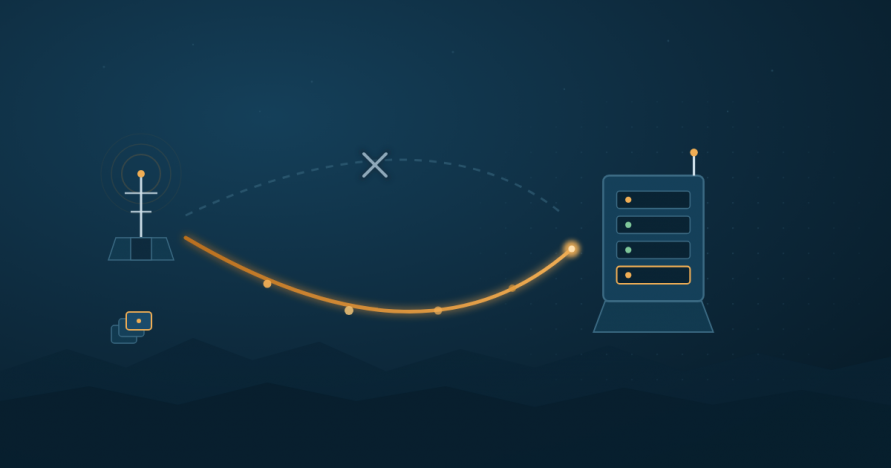
The problem with “real-time” sync when the link isn’t always there
Most file replication tools are built around an assumption that quietly breaks in the field: that the network is basically always up. Point-to-point tools like lsyncd watch a directory with inotify and hand changes off to rsync the moment they happen. That works well on a stable LAN or a reliable site-to-site VPN. It works much less well on a link that drops for minutes or hours at a time — a forward site on a cellular or satellite backhaul, a vehicle moving between coverage areas, a branch office on a congested WAN, or any connection an adversary or a storm might interrupt.
These are DDIL conditions — Denied, Disrupted, Intermittent, and Limited bandwidth environments. The term originated in defense and tactical-edge contexts, but the underlying problem shows up anywhere connectivity can’t be assumed: disaster recovery sites, maritime and aviation systems, remote industrial or research facilities, and branch offices on unreliable last-mile links.
The failure mode is rarely “sync doesn’t happen.” It’s usually one of these:
- Full retransfer after a drop. Tools without resumable transfers restart from the beginning of a file — or an entire job — after a connection loss, which is punishing on a low-bandwidth link.
- Watch-event storms on reconnect. A directory monitor that queues every change locally can flood the sync engine with a backlog the moment connectivity returns, competing with whatever else needs that narrow pipe.
- No queuing during total loss. Point-to-point tools that require an active connection to do anything simply stop working when the link is down — there’s no mechanism to keep collecting changes for later.
- Fixed concurrency that ignores link conditions. A tool tuned for a gigabit LAN can easily overwhelm a constrained link if it opens too many parallel streams at once.
What DDIL-safe replication actually requires
Set aside product names for a moment. Any tool that’s going to hold up on a link like this needs to do a handful of things well:
- Resume from the point of interruption, not from zero. A dropped transfer should pick back up where it left off when the link returns, not restart the whole file or job.
- Move only the bytes that changed — and recognize when nothing but metadata changed. Delta transfer matters more on a constrained link than almost anywhere else, and a permission, ownership, or ACL change shouldn’t require re-sending file content at all when the content itself hasn’t moved.
- Queue changes during a total outage. The system needs somewhere to hold pending changes when there’s no link at all, and a way to work through that queue in a controlled order once connectivity returns — not as a flood.
- Let you control concurrency deliberately. The number of parallel streams and the throttle on each one should be something you configure for the link you actually have, not a fixed default tuned for a data center.
- Handle DNS and connection-establishment reliability. On some DDIL links, name resolution itself is unreliable. A tool that depends on DNS resolving quickly and consistently adds an unnecessary failure point.
- Keep encryption overhead low, in transit and at rest. Security shouldn’t be optional just because bandwidth is scarce, but a cryptographic implementation with heavy overhead eats into the bandwidth budget you’re already short on. On a DDIL deployment, both the link and the destination site itself may be less physically secure than a data center, so both matter.
- Fail over to an alternate path when one is available. “Denied” doesn’t always mean every route is down — sometimes it means this route is down. A tool that can reroute to a configured alternate destination keeps working; one that can’t simply stops.
- Back off instead of hammering a failing connection. Retrying immediately and continuously against a link that’s already struggling makes the underlying problem worse. Backing off — waiting longer between each failed attempt — gives a degraded link room to recover instead of adding to its load.
This list isn’t theoretical — it maps closely to the factors we’ve written about before in Factors That Impact File Replication and Synchronization Performance, which covers delta transfers, parallel streams, DNS resolution, and encryption overhead in more depth.
How EDpCloud actually handles this: journal, queue, resume
EDpCloud’s approach to interruption isn’t a generic “retry” wrapper bolted onto file transfer — it’s built around a journal.
Before any batch of files replicates, EDpCloud journals their names and the type of changes. That journal is what makes recovery from a failure deterministic rather than best-effort: if replication is interrupted — link drop, process restart, whatever the cause — eddist reads the outstanding file names back out of the journal and re-queues them for replication through ed_sender streams. Replication resumes from where it left off because the journal already has the record of what still needs to move; nothing has to be rediscovered or restarted from the beginning of the job.
In the default, continuous path, edfsmonitor is what feeds that pipeline: it watches the configured paths, and relays changes directly to eddist as they happen, no separate queuing step in between. That’s the mechanism most DDIL deployments will lean on day to day.
Two additional tools queue changes into eddist a different way, for situations where continuous relay isn’t the right fit:
edqperforms a full sync of changed files. It’s invoked from cron or a scheduler — the right fit when you want a periodic, complete pass over what’s changed, which suits a link with predictable maintenance or connectivity windows rather than continuous monitoring.edmfqis a more selective, intelligent queuing agent. Rather than a blanket full sync, you tell it a time window — files that changed 2 days ago, 10 minutes ago, or any interval you specify — and it queues only those files toeddist. It can also queue files that changed after a specified reference file changed, which is useful when you want to pick up a replication run relative to a known point rather than a fixed clock time.
However, files reach it — direct relay, edq, or edmfq — eddist journals them the same way, so however files get queued, an interruption doesn’t mean starting over.
Alternate routes and backoff, not just retry
Journaling and resume solve what happens after an interruption. Just as important on a DDIL link is how EDpCloud behaves while trying to connect in the first place — and that’s governed by two or more mechanisms configured in eddist.cfg.
Alternate receivers. A sender isn’t limited to a single destination. If eddist.cfg specifies alternates for a given receiver — server2 and server3 as alternates to server1, for example — and the connection to server1 fails, EDpCloud can route to one of the alternates instead. On a link where a specific path or endpoint is denied or disrupted but another route to the same data isn’t, this means replication doesn’t simply stop; it fails over to a path that’s still up.
Exponential backoff on connection failure. When a connection attempt fails, EDpCloud doesn’t hammer the link with immediate, continuous retries — which would be actively harmful on a constrained or congested connection. It backs off exponentially: retry after 2 seconds, then 4, then 8, and so on up to a configured maximum. This keeps a struggling link from being pushed further into congestion by the replication process itself, while still recovering promptly once the link genuinely comes back.
Together with journal-based resume, this means a DDIL deployment has three independent lines of defense against an unreliable link: reroute to an alternate destination if one is configured and reachable, back off intelligently rather than flood a failing connection, and resume from the journal rather than restart from scratch once a connection — original or alternate — succeeds.
A representative scenario
Picture a forward or remote site connected back to a central location over a link that’s frequently degraded — a cellular or satellite backhaul, for example — rather than reliably up.
edfsmonitor.cfg lists the paths to watch — /home, /data, or whatever the deployment needs — and EDpCloud watches those directories continuously for changes, the same as it would on a stable LAN. It’s not limited to content changes, either: permission, ownership, group, and ACL changes are watched and replicated too, so a metadata-only change doesn’t get silently missed just because the file’s bytes didn’t change. As changes are detected, edfsmonitor relays them directly toeddist, which journals and orchestrates replication through ed_sender — no separate queuing step required for this continuous, real-time replication path.
edq and edmfq come in for scenarios where continuous relay isn’t what you want. If the link has predictable windows instead — a satellite pass at certain times of day, say — edq run from a scheduler performs a full sync during that window rather than maintaining a continuous connection that isn’t there. If you need finer control over exactly which changes go out after a long outage — say, only what’s changed in the last 10 minutes, to avoid re-queuing a large backlog all at once — edmfq’s time-window queuing gives you that instead.
When a transfer is interrupted mid-batch — the link drops before every journaled file has gone out — eddist picks the outstanding names back up from the journal on the next run and re-queues them throughed_sender, rather than re-scanning the source or restarting the batch from the beginning. If the primary receiver is unreachable and eddist.cfg has an alternate configured for it, EDpCloud can route there instead rather than simply failing. And if a connection attempt itself fails — to the primary or an alternate — it backs off exponentially rather than retrying immediately and repeatedly, which matters on a link that’s already struggling.
Combined with byte-level delta transfer, so only changed bytes move in the first place, this keeps a narrow, unreliable link doing useful work instead of repeatedly re-sending data it already has most of. The same applies to metadata: if a file’s permissions, ownership, group, or ACLs change without the content itself changing — a common occurrence when tightening access controls at a forward site — that change is watched and replicated on its own, not bundled into (or missed alongside) a content transfer.
By default, data is encrypted in transit — AES-256 via OpenSSL, over TLS 1.3 — and can also remain encrypted at rest on the destination. Both are configurable: an administrator can override and disable encryption in transit and at rest if a given deployment doesn’t require it. For most DDIL scenarios, where the link itself is the least trusted part of the path, leaving transit encryption on is the sensible default; at-rest encryption is worth keeping on too if the destination site’s physical security can’t be fully guaranteed.
What to ask any vendor before deploying in a DDIL environment
Whether you’re evaluating EDpCloud or anything else for a bandwidth-constrained or intermittently-connected deployment, these are the questions worth asking directly:
- Does a transfer resume from where it left off, or restart from the beginning, after a drop?
- What happens to pending changes during a total outage — are they queued, or lost?
- If a specific destination is unreachable, can traffic route to a configured alternate, or does the whole job simply fail?
- Does the tool back off on repeated connection failures, or does it retry aggressively in a way that could worsen congestion on an already-struggling link?
- Can you control parallel streams and throttling, or is concurrency fixed?
- Does the tool depend on continuous DNS availability to function?
- What’s the actual overhead of its encryption in transit, and can you verify that against your own measurements?
- If you’re in a regulated or federal environment, what’s the vendor’s current FIPS-validated cryptographic module status — ask for the specific CMVP certificate rather than a general claim. This is worth asking bluntly, because strong encryption and validated encryption are not the same thing: EDpCloud encrypts data in transit with AES-256 via OpenSSL, but does not currently hold CMVP FIPS 140-x certification. For deployments where a control specifically requires FIPS-validated cryptography — for example, NIST SP 800-171’s SC.L2-3.13.11 under DFARS 252.204-7012 — that distinction matters and is worth confirming directly with EnduraData against your specific compliance requirement before deployment.
Talk to an engineer about your specific link conditions and topology — contact us or start a free trial to test checkpoint/restart and queuing behavior against a simulated degraded link.
Related reading: Factors That Impact File Replication and Synchronization Performance · EDpCloud File Replication Security and Compliance · Linux File Replication and Synchronization Software Installation and Configuration
~
Share this Post