
RepliWeb reached end of life in January 2022, and Attunity replication products have followed the same path — making a RepliWeb Attunity migration a priority for any team still running either platform in production. No more patches, no more security updates, and no vendor support if something breaks. This guide covers why that matters, whether EDpCloud is a realistic drop-in replacement, and the concrete steps for a complete RepliWeb Attunity migration to a supported, actively maintained platform.
Why Migrate From RepliWeb or Attunity Now
Running end-of-life replication software isn’t just an inconvenience — it’s an accumulating risk. Every month without vendor patches widens your exposure window, and for organizations in regulated or government environments, unsupported software can also become a compliance liability on its own, independent of whether it has actually failed yet.
We’ve written in detail about both sides of this problem:
- Risks of Not Replacing RepliWeb — what discontinued support actually exposes you to
- Why It’s Crucial to Replace RepliWeb and Attunity by 2025 — the business case for acting now rather than waiting for a failure
Is EDpCloud a True Drop-In Replacement?
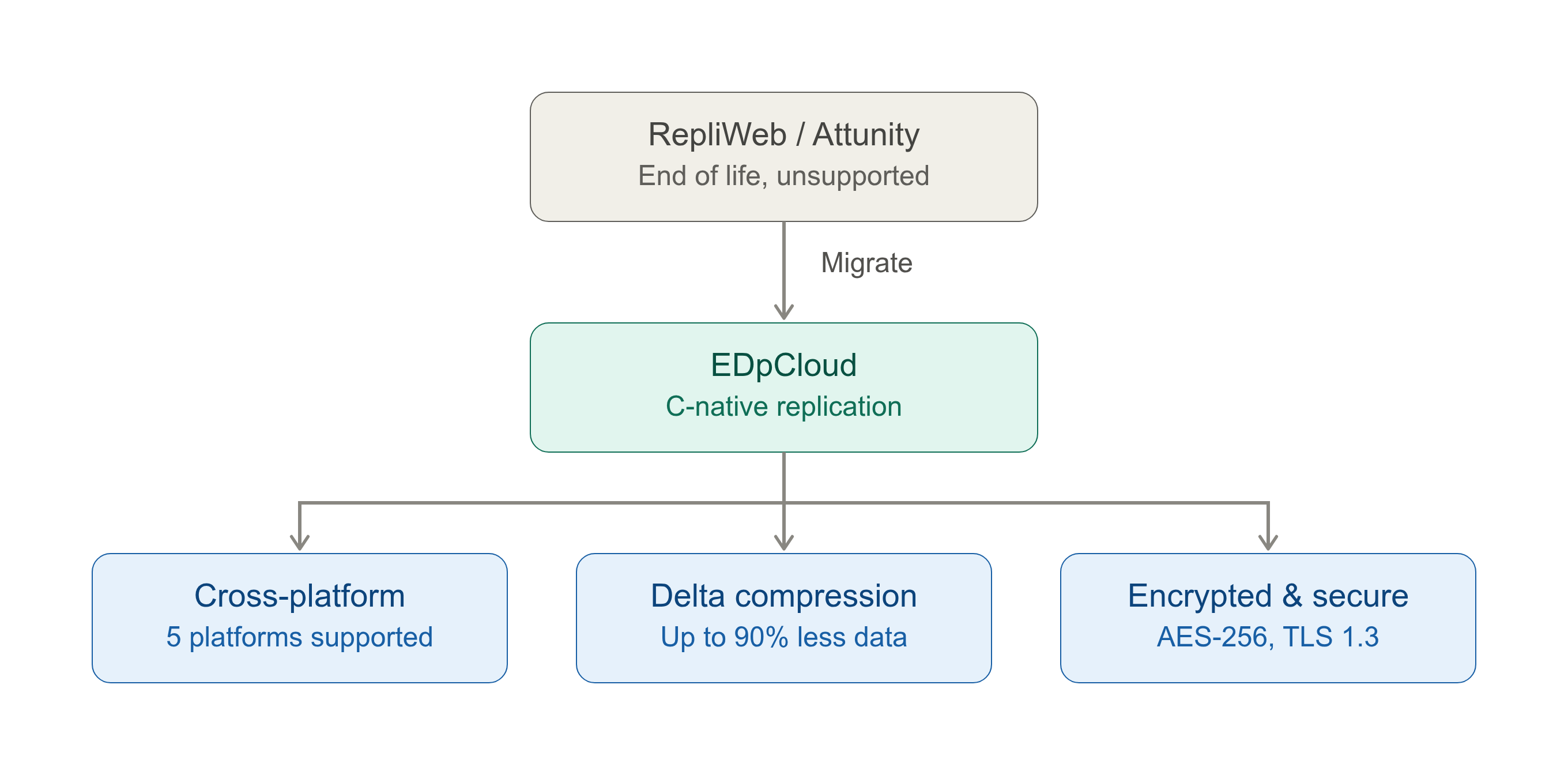
EDpCloud is a C-native, byte-level replication engine, built specifically for the same mission-critical, heterogeneous environments RepliWeb and Attunity were originally designed for — with no Java dependency in the core engine. Here’s how the core capabilities line up:
| Capability | RepliWeb / Attunity | EDpCloud |
|---|---|---|
| Vendor support status | End of life — no patches or updates | Actively developed and supported |
| Architecture | Java-dependent components | C-native binary, minimal footprint, no Java dependency |
| Platform support | Varies by legacy version | Linux (RHEL, Debian, Ubuntu), Windows Server, AIX, Solaris, FreeBSD, OpenBSD, macOS |
| Replication topologies | Limited/legacy topology support | Bidirectional (multi-master), one-to-many (fan-out), many-to-one (aggregation) |
| Delta/byte-level transfer | Basic delta support | Advanced byte-level delta compression, reducing bandwidth usage by up to 90% |
| High-latency / unstable links | Not optimized for DDIL scenarios | Built for zero- and high-latency links, including satellite and DDIL (Disconnected, Intermittent, Limited) bandwidth environments |
| Encryption | Varies by legacy version | AES-256 and TLS 1.3 |
| Federal compliance | Not maintained against current requirements | Section 889 compliant; trusted by the DoD and SSA |
| Automated recovery | Manual intervention often required | Automated checkpoint/restart |
| Administration | GUI-centric legacy tooling | Native CLI orchestration (eddist.cfg, edmanage, edstat, edverify, and related utilities) built for sysadmin automation and scripting |
In practice, most environments running RepliWeb or Attunity today can map their existing jobs, schedules, and topologies onto EDpCloud’s configuration model without redesigning their replication strategy from scratch.
Platform-Specific Migration Guides
Depending on your current environment, start with the guide that matches your platform:
- Replacing Attunity on Linux, AIX, and Solaris: The Definitive Technical Guide — for teams migrating off Attunity on Unix/Linux systems
- Migrating from RepliWeb (R1) to EDpCloud on Linux: A Drop-In Replacement Guide — for teams migrating off RepliWeb R1 specifically
RepliWeb Attunity Migration Checklist & Timeline
A typical migration follows this sequence. Timelines vary by environment size and topology complexity, but the phases stay consistent:
- Assess current jobs and topologies. Document your existing RepliWeb/Attunity jobs — source/target pairs, schedules, filters, and any custom scripts triggered around replication events.
- Install EDpCloud in parallel. Deploy EDpCloud alongside your existing replication software rather than removing the old system first — this lets you validate before cutting over.
- Configure replication jobs. Recreate your source/target relationships using
eddist.cfg, set up host authorization withedpasswd, and apply any file filtering rules through the include/exclude configuration. - Verify and test. Use
edverifyandedstatto confirm data integrity and replication status before relying on EDpCloud for production traffic. - Cut over. Redirect production replication traffic to EDpCloud once verification is complete.
- Decommission the legacy system. Retire RepliWeb/Attunity only after EDpCloud has been running reliably in production for an agreed validation period.
Our engineers can walk through this checklist with your team directly — see the contact section below.
Proven in the Most Demanding Environments
EDpCloud is trusted by the U.S. Department of Defense and the Social Security Administration, along with healthcare, financial services, and other regulated organizations that can’t tolerate replication downtime or unsupported software in their infrastructure. These are environments where “it mostly works” isn’t an acceptable standard — which is the same standard we’d apply to your migration. Federal buyers can review the official requirements directly on the GSA’s Section 889 exclusion page.
Frequently Asked Questions
Is EDpCloud a drop-in replacement for RepliWeb or Attunity?
For most common replication topologies — one-to-one, one-to-many, and bidirectional — yes. EDpCloud is designed to map onto the same source/target relationships and scheduling models you’re likely already using, without requiring a redesign of your replication strategy.
How long does a RepliWeb Attunity migration take?
It depends on the number of jobs, topology complexity, and how much validation your environment requires before cutover. Running EDpCloud in parallel with your existing system (rather than a hard cutover) is the recommended approach and adds a validation period rather than downtime.
Does EDpCloud support the same platforms as RepliWeb and Attunity?
EDpCloud supports Linux (RHEL, Debian, Ubuntu), Windows Server, AIX, Solaris, FreeBSD, OpenBSD, and macOS — covering the heterogeneous environments most RepliWeb and Attunity deployments span.
What happens if we keep running RepliWeb or Attunity without migrating?
You continue operating without vendor patches or support, which increases security exposure over time and can create compliance gaps in regulated environments. See our full breakdown in Risks of Not Replacing RepliWeb.
Talk to a Migration Engineer
Ready to start your RepliWeb Attunity migration? Every environment has its own mix of platforms, topologies, and constraints. Our engineers can review your current RepliWeb or Attunity setup and map out a specific migration plan for your infrastructure.
Contact a migration engineer or call 1-952-746-4160.